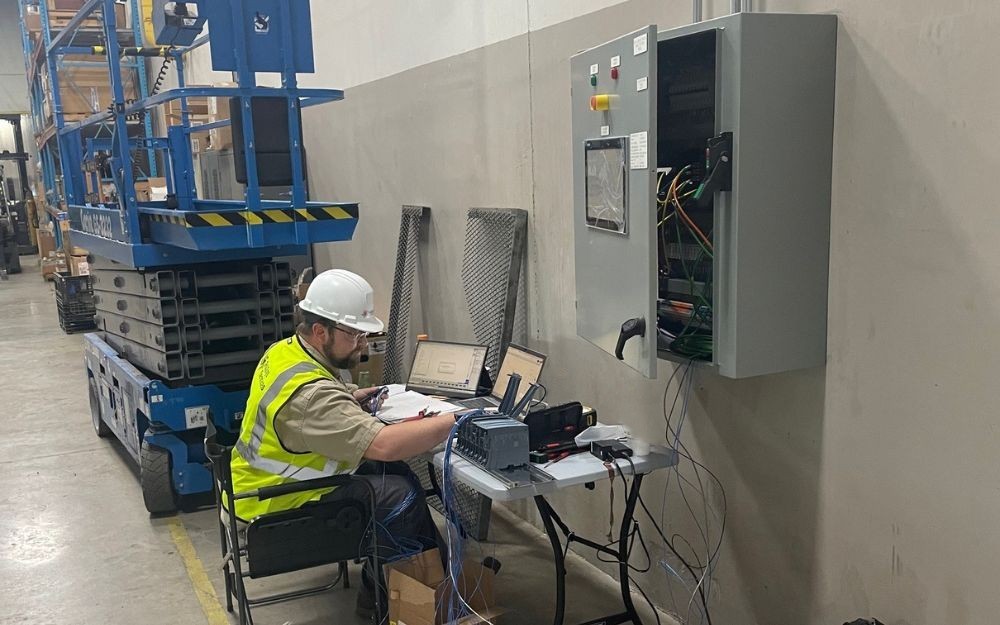
Programmable Logic Controllers (PLCs) are essential components in many types of industrial equipment, including air pollution control systems. As “the brains” of the equipment, they manage key processes and ensure productivity, safety, and regulatory compliance. However, like any electronic device, a PLC is not immune to wear and tear and occasional malfunction.
First, Some Common Reasons for PLC Failures
It’s important to consider what might be causing your PLC to fail in the first place. In our experience, PLCs face a variety of challenges that can lead to performance issues, including:
Troubleshooting Tips
With the above reasons in mind, below are some of our engineers’ suggested troubleshooting procedures to help you resolve your PLC issue.
- Check the power supply.
Always start here. After verifying that power cords are securely plugged in and fuses are intact, make sure that the power supply is stable and functioning correctly. Power outages and unstable and/or incorrect voltage can lead to a host of problems, including serious hardware damage. Multimeters & power analyzers can help check the power supply’s status and identify issues.
- Inspect all ports & communication cables.
Next, look for any signs of damage to or poor connection in the cables connecting your PLC to peripheral devices. You should also ensure compatibility between cables and pins with the communication protocol being used (e.g., RS-232, RS-485, or Ethernet). A cable tester can help you assess continuity and signal quality.
- Reboot the system.
If communication issues persist, try a simple reboot. Yes, sometimes it’s that easy! Power-cycle the PLC and any connected devices — they may just need a reset to clear any temporary issues.
- Verify communication settings.
Ensure that all communication settings and parameters are correct, consistent, and matched across devices. This includes baud rate, parity, stop bits, address, and data bits.
- Check the integrity of hardware components such as routers & switches.
Ensure that all configuration settings of your communication protocols are compatible with your SCADA system and network infrastructure.
- Doublecheck the PLC program.
Verify the integrity of the PLC program and its logic. Is it free of errors and up-to-date? Has it been correctly uploaded to the PLC? (You can use debugging tools to test the logic governing communication functions for correct syntax and parameters.)
- Check for conflict with other components and issues with other field devices.
Incompatibility with other components within the control system can cause poor or erratic performance, so monitor network traffic for any bottlenecks or unusual patterns to provide insights into communication issues between them. Also, the fault might not originate with your PLC, so check field devices wired to it. Field device circuitry can be damaged by exposure to moisture, heat, vibration, etc.
- Ensure that firmware & software are updated.
Firmware updates can cause lost communication with older, existing products that are becoming obsolete. Regularly updating firmware and software can prevent future incompatibilities or bugs that may disrupt communication. You’ll also benefit from improvements in performance & security.
- Document changes & repairs.
When troubleshooting, always record any changes to equipment or settings. This documentation offers a historical context for identifying and resolving future issues.
- Follow the manufacturer’s guidelines.
Remember to always to follow the safety precautions and the manufacturer’s guidelines when working with PLCs (as with other devices).
Troubleshooting a PLC may seem daunting, but following a structured approach can significantly enhance your chances of success. Start with basic checks—power, cables, settings, and program logic—before moving into more complicated problem solving procedures.
Remember that when significant failures occur, seeking expertise from a professional, third-party service provider may be the best course of action, helping you minimize downtime and restore operations quickly. At PolSys, we offer both remote and onsite PLC troubleshooting, and we would be happy to help.
Important Note:
This piece is neither intended, nor should it be relied upon, to take the place of professional consultation or services. Information provided is for general reference only; it is not meant as a replacement for OEM guidelines or as a substitute for professional inspections, recommendations, and maintenance.